What Does Hold Mean on a Thermostat?
Your Complete Guide to Mastering Temperature Control
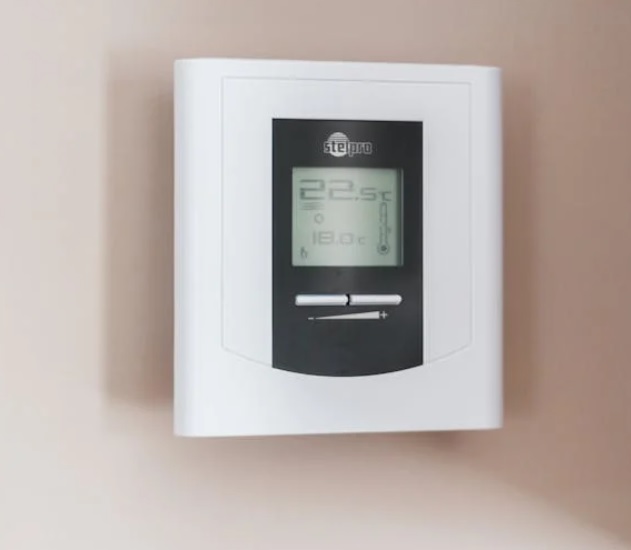
You’re standing in front of your thermostat, coffee in hand, when you notice that cryptic word blinking at you: “HOLD.” Is your HVAC system being held hostage? Did you accidentally trigger some kind of temperature lockdown? Before you start googling emergency HVAC repair numbers, let’s demystify this common thermostat feature that’s probably saving you money right now—or costing you, depending on how you’re using it.
Decoding the “Hold” Feature: Your Thermostat’s Override Button
Think of the “hold” function as your thermostat’s way of saying, “I hear you have plans that don’t fit my usual schedule.” Essentially, hold on a thermostat temporarily overrides your programmed temperature schedule, maintaining a specific temperature until you tell it otherwise—or until a predetermined time expires.
Here’s the thing: most modern thermostats operate on programmed schedules. You’ve set it to drop the temperature at night, warm up before you wake, cool down while you’re at work, and get cozy again before you arrive home. But life isn’t always that predictable. Maybe you’re working from home today, hosting an impromptu dinner party, or heading out for a long weekend. That’s where hold becomes your best friend.
What Does Hold Mean on a Honeywell Thermostat (and Other Brands)?
The hold function works similarly across most major thermostat brands, but Honeywell has made it particularly intuitive. When you press “hold” on a Honeywell thermostat, you’re essentially telling the device: “Keep this exact temperature until I say otherwise.” The display will show “HOLD” to confirm you’ve activated this override mode.
For HVAC systems generally, hold serves the same purpose across brands like Nest, Emerson, and Lux—it’s the universal “pause button” on your temperature programming.
Hold vs. Run on Thermostat: Understanding the Difference
Here’s where things get interesting. Your thermostat essentially operates in two modes:
Run Mode: Your thermostat follows its programmed schedule religiously. It’s on autopilot, adjusting temperatures throughout the day according to the settings you’ve configured. This is typically the most energy-efficient option for regular daily routines.
Hold Mode: You’ve taken manual control. The thermostat maintains your chosen temperature regardless of what the program says. It’s perfect for irregular schedules but can increase energy costs if you forget to switch back.
Think of it like cruise control in your car. Run is cruise control following the speed limit signs automatically. Hold is you manually controlling the speed because you know something the system doesn’t.
Should My Thermostat Be on Hold or Run?
The short answer? Most of the time, it should be on run. Here’s why: programmed schedules are designed for energy efficiency. According to the U.S. Department of Energy, you can save approximately 10% annually on heating and cooling costs by properly using programmable features.
However, hold is invaluable for specific situations:
- Unexpected schedule changes (working from home when you’d normally be out)
- Guests staying over who have different comfort preferences
- Vacation mode (though some thermostats have dedicated vacation settings)
- Seasonal transitions when you haven’t updated your program yet
Temporary vs. Permanent Hold: The Critical Distinction
Most Honeywell thermostats offer two hold options:
Temporary Hold: Maintains your set temperature until the next programmed schedule change (usually the next time period in your daily schedule). This is the smarter choice for short-term adjustments.
Permanent Hold: Keeps your temperature indefinitely until you manually cancel it. This is where people often get into trouble—and why your energy bill might unexpectedly spike.
How Long Does Honeywell Temporary Hold Last?
This is one of the most common questions, and the answer is refreshingly straightforward: a temporary hold lasts until the next scheduled temperature change in your program.
For example, if your thermostat is programmed to drop from 72°F to 68°F at 10 PM, and you activate a temporary hold at 5 PM setting it to 74°F, the hold will maintain 74°F until 10 PM. Then it’ll automatically revert to the programmed 68°F.
This smart design prevents the all-too-common scenario of forgetting you’ve overridden the system and wondering why your apartment feels like a sauna—or an icebox—days later.
How to Turn Off Hold on Thermostat: Simple Steps
Spotted “HOLD” on your thermostat and wondering why your carefully crafted schedule isn’t working? Here’s how to release it:
For Honeywell Thermostats: 1. Press the “Cancel” or “Run Schedule” button (model-dependent) 2. Alternatively, press “Hold” again to toggle it off 3. The display should return to showing your regular program
For Other Brands:
- Nest: Simply adjust to the temperature you want and select “Yes” when asked if you want to resume the schedule
- Emerson Sensi: Tap the schedule icon to return to programmed mode
- Lux: Press “Run” or “Program” to exit hold mode
What does “Cancel Hold” mean on a thermostat? Exactly what it sounds like—you’re canceling the override and returning to your regularly scheduled programming.
Pro Tips for Using Hold Function Effectively
Energy-Conscious Hold Usage:
- Always opt for temporary hold over permanent when possible
- Set holds conservatively—a 2-3 degree adjustment is usually sufficient
- Use smartphone reminders if your thermostat isn’t smart-enabled
- Review your energy bills to see if hold usage patterns correlate with spikes
When Hold Makes Financial Sense: According to ENERGY STAR guidelines, using hold strategically during extreme weather can actually save money by preventing your HVAC system from working overtime to reach programmed temperatures during peak heat or cold.
The Bottom Line: Hold Is a Tool, Not a Default Setting
Understanding what hold means on your thermostat—whether it’s a Honeywell, Nest, or any other brand—transforms it from a mysterious button into a powerful tool for comfort and efficiency. The key is intentional use: activate hold when your schedule deviates from normal, choose temporary over permanent, and always remember to return to run mode.
Your thermostat’s programming exists for a reason, carefully balancing comfort with energy efficiency based on typical patterns. Hold is the exception that proves the rule—use it wisely, and you’ll enjoy both optimal comfort and reasonable energy bills.
Ready to optimize your home’s climate control? Check your thermostat’s manual to understand its specific hold features, or consider upgrading to a smart model that learns your preferences and automatically adjusts. Your future self—and your wallet—will thank you.